Troubleshooting
The add-in does not run
Before installing, make sure that .NET Framework 4.7.2 is installed on your system.
Uninstall the add-in.
Download .NET Framework 4.7.2 from the following link and install it.
https://dotnet.microsoft.com/download/dotnet-framework/net472
Repeat the installation of the add-in.
PDF reports are not created correctly or the data is not updated correctly
If there are issues with loading the data, first try to sign out and back in again. To do so, go to the Avelon Reporting tab and click on Sign Out and then on Sign In again.
Office add-ins with third-party PDF functionality may interfere with Avelon Reporting under certain circumstances and cause problems when creating PDF reports. To solve any problems, the corresponding add-ins must be temporarily deactivated in Office:
In Office, for a file that is already open, click File ▸ Options ▸ Add-ins.
Find the relevant add-in in the list and note the value in the Type column.
Select this type from the Manage list below and click Go….
In the following dialog, uncheck the corresponding add-in and click OK.
List of known add-ins that are not compatible with Avelon Reporting:
Foxit PDF Creator
FoxitReader PDF Creator
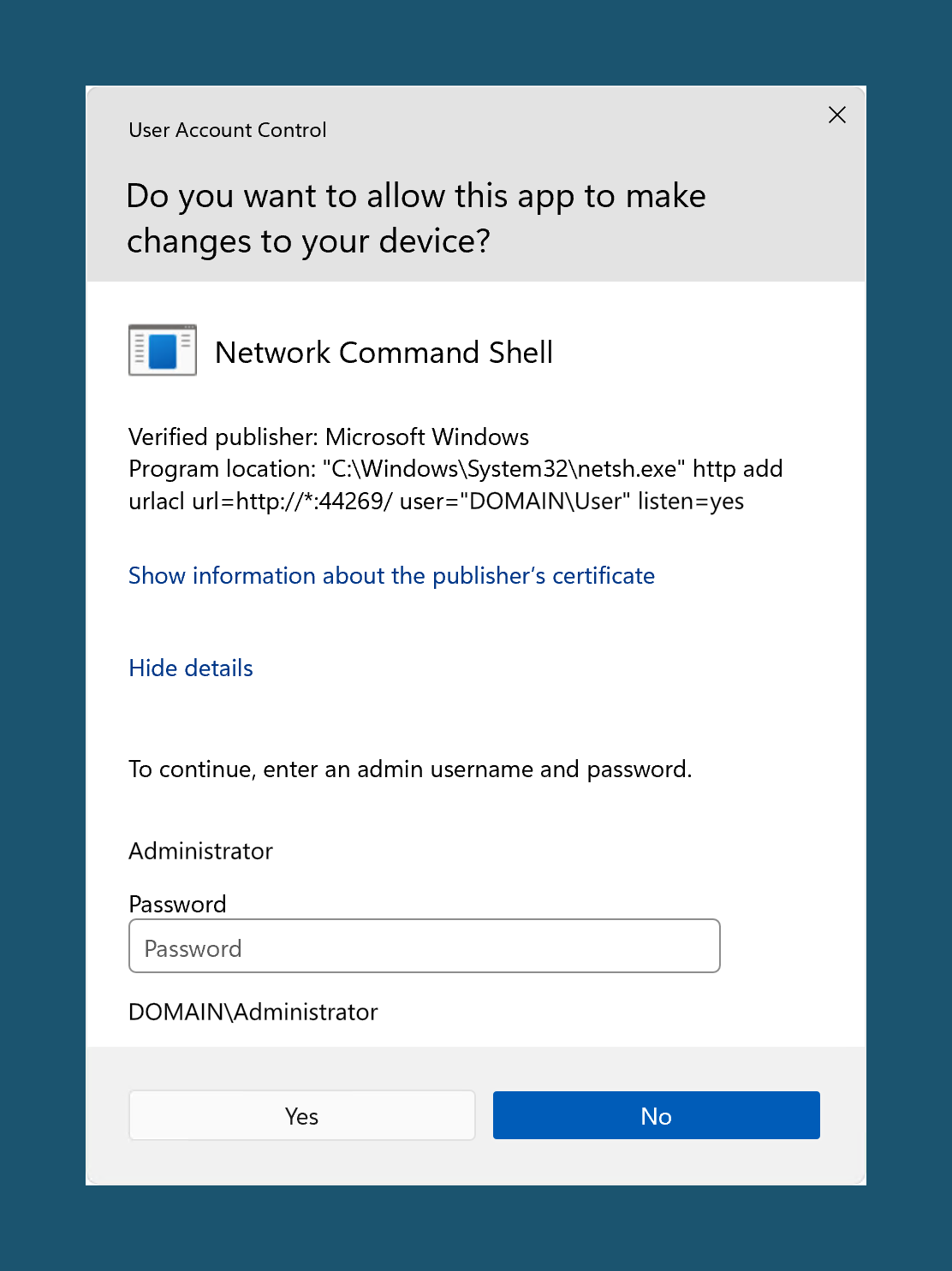
The add-in is trying to run a network command shell
Avelon Reporting creates a local cache server on localhost:44269, which is used in Microsoft Excel to download and cache data for dynamic queries.
Its purpose is to add the required authentication tokens and to proxy the request to the configured server when fetching data.
A listener to this cache server will be created via the following command with priviledged user rights, which might require the confirmation of an administrator:
User Account Control
Do you want to allow this app to make changes to your device?
Network Command Shell
netsh.exe http add urlacl url=http://*:44269 user="{userdomain}\{username}" listen=yes
where {userdomain} and {username} are the domain and username of the current user, respectively.
The listener will be created by Avelon Reporting when the add-in is loaded, regardless of whether it’s loaded in Microsoft Excel, Word or PowerPoint. Please allow Avelon Reporting to connect to this local proxy server, otherwise dynamic queries will not work and the add-in will not be able to fetch data from the server.