Introduction
Devices associated with your account are listed in the device management and can be configured there.
The device management can be opened by clicking Devices in the user menu at the top right, provided it has been activated for you.
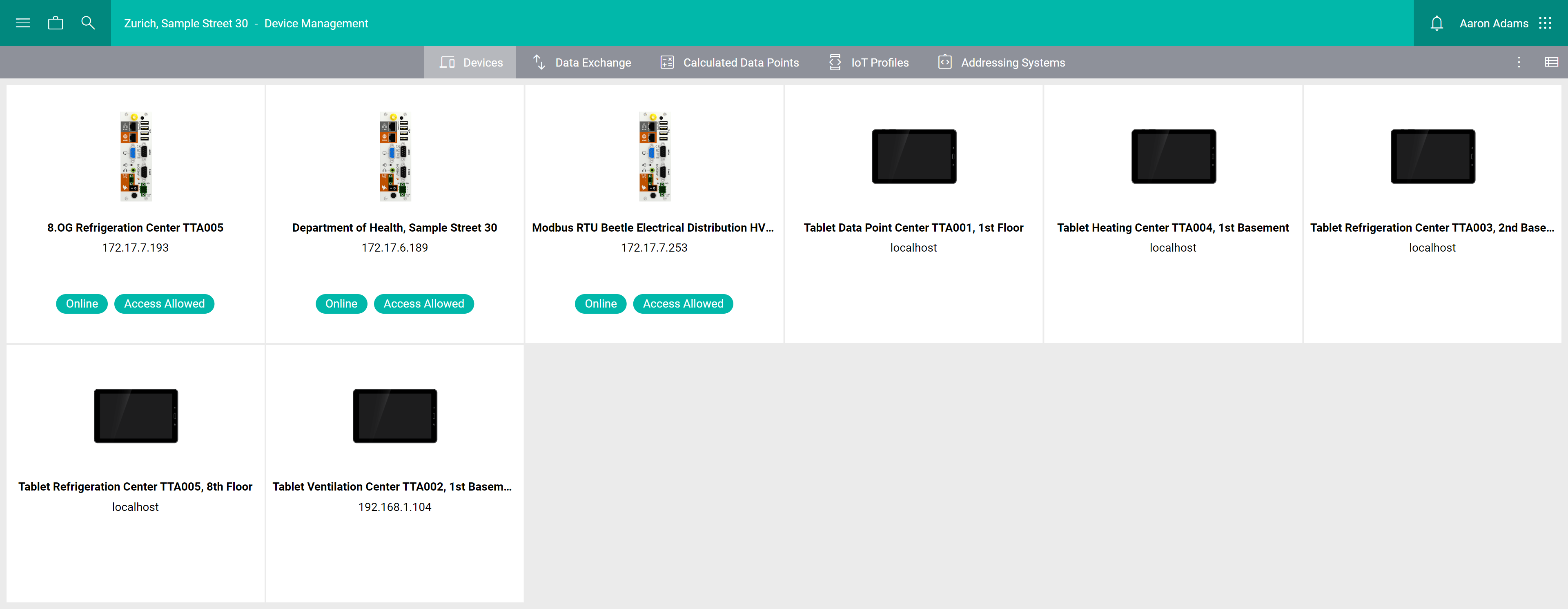
Click on Details at the top right to switch to the list view, which shows more details about each device.
- Type
The icon represents the type of the device.
- Version
The firmware version of the device.
- Name
The name of the device.
- IP
The IP address of the device.
- Connection State
Devices that have recently connected to the server are shown as Online. Otherwise they are shown as Offline.
- VPN State
Only applicable for Beetle devices. Indicates whether the device allows remote access via VPN:
Access Allowed: Remote access is enabled and you can access the device remotely via Avelon Connect.
Access Denied: Remote access is disabled on the device.
Not Accessible or Unknown: The device does not support remote access via VPN.
See Remote access on how to manage remote access on the Beetle.
- Last Connection
The date and time when the device last connected to the server.
- Activation Date
The date and time when the device was activated.
- Device Identification
The primary identifier of the device. This is usually the serial number of the device.
Note
For a device to be shown in the list, the logged-in user must be part of a user group that is assigned to the respective device. The user groups can be assigned by authorized users on the device configuration page on the Device access card.
Users whose user role has either the action right “Show all devices” or “Create and delete devices” assigned will always see all devices, regardless of access rights.